


Ketahui sama ada Big Boss ialah broker yang boleh dipercayai untuk dagangan kripto pada tahun 2025: akaun bermula dari 1 USD, tiada komisen dan platform MT4/MT5 untuk pedagang aktif.
WISE 2026: ULASAN UNTUK PEDAGANG
Wise telah mengubah cara berjuta-juta orang mengurus dan menghantar wang ke luar negara. Dalam ulasan ini kami terangkan bagaimana akaun ini berfungsi, jenis yuran yang dikenakan dan mengapa Wise menjadi salah satu pilihan paling menarik bagi mereka yang kerap membuat pemindahan wang merentasi sempadan.




Wise
wise.com
Tahun ditubuhkan
2011
HQ
United Kingdom
Alamat ibu pejabat.
6th Floor, The Tea Building, 56 Shoreditch High Street, London, E1 6JJ, United Kingdom
Pihak berkuasa pengawalseliaan.
APRA, ASIC, AUSTRAC, BCB, BIS, BSP, CCE, CNBV, EFSA, FCA, FinCEN, FINTRAC, ISA, JFSA, MAS, OCC, RBI
Penyenaraian di bursa.
LSE:WISE
Bagaimana membuka akaun
1. Go to the official site → wise.com
Visit the app’s official website (or download it from the App Store/Google Play) to start from a trusted source.

2. Create your account
Sign up, enter your basic details, and set up secure access. If available, enable two-factor authentication for extra protection.
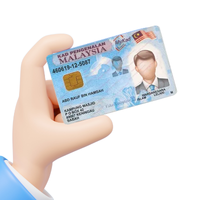
3. Verify your identity
Complete verification with the documents requested, such as MyKad (or passport), plus proof of address (e.g., a TNB electricity bill or a bank statement).
4. Add funds or link a method
Choose how you’ll use the service: bank transfer, card, or a linked account (depending on the app). Check fees, limits, and processing times before confirming because they can vary.
5. Make your first transaction
Find the feature you came for in the app, set the amount or limit if needed, and confirm.
ANDA MUNGKIN JUGA BERMINAT